Expanding your website’s reach to a global audience is essential in today’s interconnected world. Utilizing a translation plugin for your WordPress site is a powerful way to break down language barriers and engage users from different linguistic backgrounds. Here’s an in-depth look at the 7 best WordPress translation plugins that can help you create a multilingual website.
1. WPML (WordPress Multilingual Plugin)
Overview: WPML is renowned for its robustness and extensive features, making it one of the most popular translation plugins for WordPress. It supports over 40 languages and allows you to add language variants.
Key Features:
- Compatibility: Works seamlessly with most WordPress themes and plugins.
- Comprehensive Translation: Enables translation of posts, pages, custom types, taxonomies, menus, and theme texts.
- E-commerce Support: Multilingual e-commerce support via WooCommerce.
- Translation Management: Centralized translation management dashboard.
- Professional Translation Services: Integration with professional translation services.
Pros:
- Thorough and detailed translation capabilities.
- Offers automatic translation options.
- Strong support community and documentation.
Cons:
- It is a premium plugin with no free version.
- The interface can be complex for beginners.
Ideal For: Websites needing extensive translation options, including e-commerce sites.
2. TranslatePress

Overview: TranslatePress offers a user-friendly approach to translating your website, allowing you to translate everything directly from the front-end in a visual editor.
Key Features:
- Visual Interface: Translate the entire page, including shortcodes and meta information, directly from the front-end.
- Automatic Translation: Supports manual and automatic translations via Google Translate or DeepL.
- SEO Friendly: Automatically translates SEO elements like meta descriptions and titles.
- WooCommerce Support: Seamless integration with WooCommerce for translating online stores.
Pros:
- Intuitive and easy-to-use interface.
- Supports multiple languages with a single license.
- SEO integration with popular plugins like Yoast SEO.
Cons:
- Some advanced features are only available in the premium version.
Ideal For: Beginners and those looking for a visual translation tool.
3. Polylang
Overview: Polylang is a versatile and free WordPress translation plugin offering a broad range of features found in premium plugins. It allows you to create a bilingual or multilingual WordPress site.
Key Features:
- Versatile Translation: Translate posts, pages, media, categories, tags, and custom post types.
- Integration with Lingotek: Provides optional professional translation services.
- SEO Friendly: Supports popular SEO plugins and offers language-specific URLs.
- Multiple Language Support: Add as many languages as you need with RTL language support.
Pros:
- Feature-rich and free.
- Easy to set up and use.
- Comprehensive support for SEO.
Cons:
- Requires a paid addon for WooCommerce support.
- Does not include automatic translation out of the box.
Ideal For: Users looking for a free solution with extensive features.
4. Weglot
Overview: Weglot is known for its simplicity and speed. It offers automatic translations with high accuracy and is compatible with any WordPress theme and plugin.
Key Features:
- Automatic and Manual Translation: Provides initial automatic translation that can be manually edited.
- SEO Optimization: Each language gets a dedicated URL, ensuring SEO optimization.
- Compatibility: Works with all themes and plugins without configuration.
- Real-Time Translation: Fast and efficient translation setup.
Pros:
- Easy to implement and use.
- Excellent customer support.
- SEO friendly with language-specific URLs.
Cons:
- Limited features in the free version.
- Subscription-based pricing can be high for large websites.
Ideal For: Users needing a quick and efficient translation solution with minimal setup.
5. GTranslate
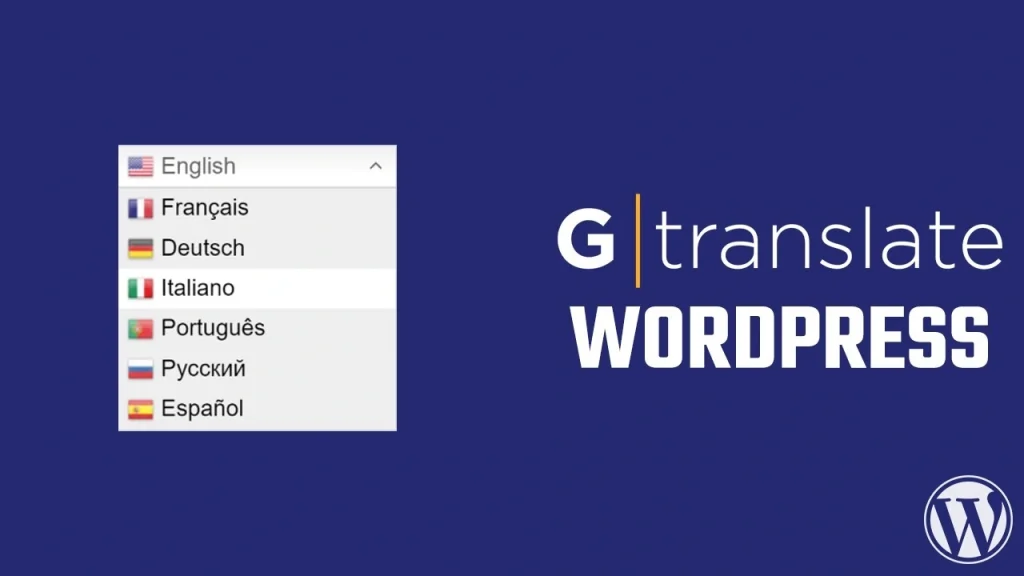
Overview: GTranslate utilizes Google Translate to automatically translate your WordPress site into over 100 languages. It offers both free and premium versions with varying levels of features.
Key Features:
- Automatic Translation: Leverages Google Translate for instant translation.
- Language Switching: Supports language switching widgets.
- Analytics Integration: Integrates with Google Analytics to track translated pages.
- Free and Premium Options: The free version covers basic needs, while the premium offers SEO-friendly URLs and more.
Pros:
- Easy to set up and use.
- Powerful free version.
- Auto-switch language based on the user’s browser settings.
Cons:
- Automatic translations may require manual corrections.
- Advanced features are locked behind the premium version.
Ideal For: Users seeking a simple, cost-effective translation solution.
6. MultilingualPress
Overview: MultilingualPress connects multiple sites in a WordPress multisite network to create a multilingual setup. Each language is managed as a separate site.
Key Features:
- Independent Sites: Each language version of your site is an independent site in a multisite network.
- SEO Friendly: Language-specific URLs for better SEO.
- High Performance: No extra load on your site as each language is a separate site.
- Content Duplication: Easily duplicate content from one language site to another.
Pros:
- No lock-in effect; you can deactivate without losing content.
- High performance and scalability.
- Easy to manage and organize translations.
Cons:
- Requires a WordPress multisite setup.
- Complex for beginners to configure.
Ideal For: Large websites and advanced users comfortable with WordPress multisite.
7. Loco Translate
Overview: Loco Translate is unique in that it focuses on translating themes and plugins directly within the WordPress dashboard using an in-browser editing interface.
Key Features:
- Translation Editor: In-browser PO file editor for translating themes and plugins.
- Localization Tools: Generates and updates language files directly.
- Developer Friendly: Integrates with source code to provide translation support.
- Automatic Translation: Option to use automatic translation services.
Pros:
- Ideal for developers who need to localize themes and plugins.
- Free and easy to use.
- Supports complex language files.
Cons:
- Not as user-friendly for beginners.
- Limited features compared to full multilingual plugins.
Ideal For: Developers and those needing to localize specific themes or plugins.
Conclusion
Selecting the right translation plugin for your WordPress site depends on your specific requirements, budget, and level of expertise. WPML and TranslatePress offer comprehensive solutions with extensive features, while Polylang provides a robust free option. Weglot and GTranslate are ideal for users seeking quick, automated translations. MultilingualPress and Loco Translate cater to advanced users and developers with unique needs.
By choosing the right translation plugin, you can ensure that your website is accessible to a global audience, enhancing user experience and expanding your reach. For more WordPress tips, plugins, and themes, visit TemplateOrbit and explore our resources to help you create the perfect website.