Creating a multilingual website is crucial for reaching a broader audience and improving user experience. Elementor, a popular page builder for WordPress, makes it easier to design stunning websites. However, to make these websites accessible in multiple languages, you need reliable translation plugins. Here, we’ve rounded up some of the best Elementor translation plugins to help you choose the right one for your site.
1. WPML Translation Plugins (WordPress Multilingual Plugin)
Overview: WPML is one of the most popular translation plugins for WordPress, known for its robustness and comprehensive feature set. It allows you to translate your website into multiple languages seamlessly.
Key Features:
- Comprehensive Translation: Translate pages, posts, custom types, taxonomies, menus, and even theme texts.
- Translation Management: Manage translations efficiently with a built-in translation management system, making it easy to delegate tasks to team members or professional translators.
- Automatic Translation: Use automatic translation services like Google Translate, DeepL, and Microsoft Translator to speed up the translation process.
- SEO Integration: Ensure your multilingual content is SEO-friendly, with the ability to translate SEO meta tags, sitemaps, and more.
- Compatibility: Highly compatible with Elementor, ensuring that your page builder content is translated accurately.
Pricing: WPML offers various pricing plans starting from $29 for a blog to $159 for the agency plan, which includes lifetime updates and support.
Pros:
- Comprehensive and feature-rich.
- Excellent support and documentation.
- Integrates well with other popular plugins.
Cons:
- Can be overwhelming for beginners.
- Slightly more expensive than some other options.
2. Polylang
Overview: Polylang is a powerful yet user-friendly plugin for creating multilingual WordPress sites. It integrates well with Elementor, allowing you to translate your content effortlessly.
Key Features:
- Flexible Translation Options: Ability to translate posts, pages, media, categories, tags, and custom post types.
- Automatic Translation: Option to use automatic translation services.
- SEO Compatibility: Works seamlessly with major SEO plugins to ensure your multilingual site is optimized for search engines.
- Language Switcher: Includes a customizable language switcher for easy navigation.
Pricing: Polylang offers a free version with basic features and a premium version, Polylang Pro, starting at €99 per site.
Pros:
- Easy to use and set up.
- Good balance of features in the free version.
- Solid SEO capabilities.
Cons:
- Limited features in the free version.
- Some advanced features require Polylang Pro.
3. TranslatePress
Overview: TranslatePress is an intuitive translation plugin that offers a visual translation interface. This plugin stands out due to its simplicity and effectiveness.
Key Features:
- Visual Translation Editor: Translate your entire site directly from the front-end using a visual translation editor.
- Elementor Integration: Full support for Elementor, ensuring all your designs and layouts remain intact.
- Automatic Translation: Automatic translation with Google Translate or DeepL, with the option to refine translations manually.
- SEO Support: Translate SEO elements like metadata, slugs, and more.
Pricing: TranslatePress offers a free version with basic features. Premium plans start at €79 per year for one site.
Pros:
- Easy and visual translation process.
- Compatible with WooCommerce.
- SEO-friendly.
Cons:
- Some advanced features only available in the premium version.
- Can become expensive with multiple site licenses.
4. Weglot
Overview: Weglot is a cloud-based translation plugin that simplifies the process of creating a multilingual website.
Key Features:
- Automatic Translation: Provides automatic translation with the option to manually refine translations.
- Ease of Use: Quick and easy setup, making it ideal for beginners.
- SEO-Friendly: Ensures your translated pages are indexed by search engines.
- Elementor Compatibility: Works seamlessly with Elementor and other popular page builders.
Pricing: Weglot offers a free plan for small websites (up to 2,000 words). Paid plans start at €9.90 per month for up to 10,000 words.
Pros:
- Extremely user-friendly.
- Fast setup and easy integration.
- Good SEO capabilities.
Cons:
- Pricing can be high for larger websites.
- Limited control over translations in the free version.
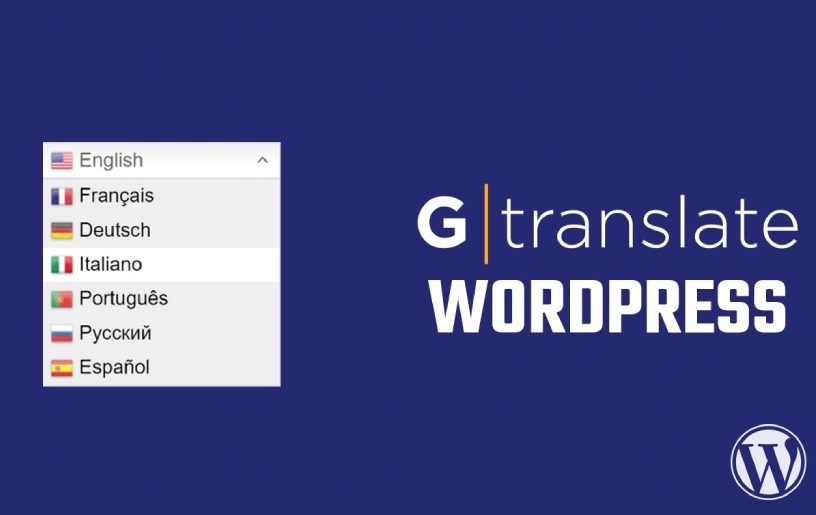
5. GTranslate
Overview: GTranslate leverages Google Translate to offer automatic translations for your WordPress site.
Key Features:
- Automatic Translation: Easy setup and integration with Elementor, providing support for over 100 languages.
- Free and Premium Options: Offers both free and premium versions, with premium providing better translation quality and additional features.
- SEO-Friendly: Premium version ensures SEO-friendly translations.
- Customization: Allows you to customize the language switcher and translation widget.
Pricing: GTranslate offers a free version with basic features. Premium plans start at $5.99 per month.
Pros:
- Cost-effective solution.
- Quick setup and easy to use.
- Supports a wide range of languages.
Cons:
- Quality of automatic translations can vary.
- Advanced features are locked behind the premium version.
Conclusion
Choosing the right translation plugin is essential for creating a successful multilingual Elementor website. Each of the plugins mentioned above offers unique features and benefits, catering to different needs and preferences. Whether you prioritize ease of use, translation accuracy, or SEO-friendliness, there’s a plugin that will meet your requirements. Explore these options and enhance your website’s reach by making it accessible to a global audience.
Yes, many of these plugins support automatic translation. For example, WPML, TranslatePress, Weglot, and GTranslate offer automatic translation options using services like Google Translate and DeepL.https://wordpress.org/plugins/gtranslate/
Absolutely. All the plugins listed here are compatible with Elementor, ensuring that your designs and layouts remain intact during the translation process.
Yes, most of these plugins allow you to manually edit the translations. This feature is especially useful for refining automatic translations to ensure accuracy and context relevance.
Yes, plugins like WPML, Polylang, and Weglot are designed to be SEO-friendly, helping your multilingual site rank well in search engines for multiple languages.
Yes, WPML, Polylang, and TranslatePress support the translation of custom post types and taxonomies, allowing for a comprehensive multilingual site.
Yes, Polylang and GTranslate offer free versions with basic features. However, for advanced functionalities, you may need to opt for the premium versions.
The setup process varies by plugin, but generally, they are designed to be user-friendly. Weglot, for example, is known for its quick and easy setup process, making it ideal for beginners.